
Which audio file to upload: mp3, wav, m4a or mp4
Any of them works. The real questions are three: which file you have, whether it fits 64 MB and two hours, and whether the sound survives the conversion. Here are the answers and the two commands that fix a file that does not fit.
People spend an hour converting a file that did not need to be converted. The rule is simple: upload what you have, and convert only when the file does not fit or when it is heavier than it needs to be. Everything below is about making that choice without guessing.
How to prepare the file for the upload
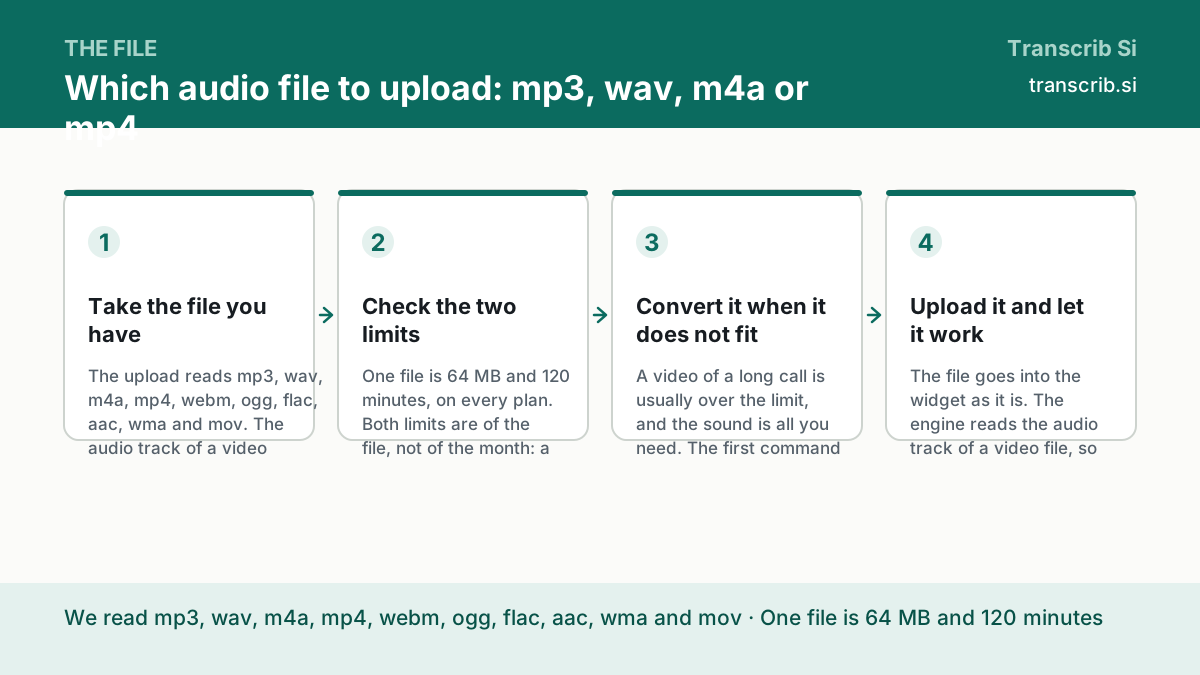
Take the file you have
The upload reads mp3, wav, m4a, mp4, webm, ogg, flac, aac, wma and mov. The audio track of a video file is fine: there is no need to pull the sound out of it first, unless the file is too heavy.
Check the two limits
One file is 64 MB and 120 minutes, on every plan. Both limits are of the file, not of the month: a recording of three hours has to be split into two files, whatever the plan is.
Convert it when it does not fit
A video of a long call is usually over the limit, and the sound is all you need. The first command below cuts the picture away and leaves an mp3; the second splits a long recording into parts of two minutes.
Upload it and let it work
The file goes into the widget as it is. The engine reads the audio track of a video file, so a client call recorded as mp4 is transcribed exactly like an mp3.
The containers we read
The list is the one of the upload widget of the site. Nothing has to be installed and nothing has to be converted to be accepted.
| Container | What it usually is | Note |
|---|---|---|
| mp3 | the compressed audio of a recording | the lightest useful format |
| wav | the uncompressed audio | big: about 10 MB per minute at 44.1 kHz, 16 bit, stereo |
| m4a, aac | the audio inside the container of a phone | the native format of a voice memo |
| mp4, mov, webm | a video with an audio track | the sound is read, the picture is not |
| ogg, flac | compressed and lossless audio | flac is lossless and normally smaller than the wav of the same recording — typically 50 to 70 percent of it (Wikipedia, read 22 October 2026) |
The size of a recording, counted
The numbers below are counted from the bitrate of the audio, at one megabyte as 1,000,000 bytes. They are a calculation, not a measurement of your file: look at the real size in the properties before you convert anything.
| Length | 64 kbps | 128 kbps | 256 kbps |
|---|---|---|---|
| 10 minutes | 4.8 MB | 9.6 MB | 19.2 MB |
| 30 minutes | 14.4 MB | 28.8 MB | 57.6 MB |
| 60 minutes | 28.8 MB | 57.6 MB | 115.2 MB, over the limit |
| 120 minutes | 57.6 MB | 115.2 MB, over the limit | 230.4 MB, over the limit |
The two commands
Both commands are the ordinary ffmpeg, and both are written in the documentation of the site. Run them in the folder with the file.
- cut the picture away and leave a light mp3: ffmpeg -i call.mp4 -vn -acodec libmp3lame -b:a 64k call.mp3
- split a long recording into parts of two minutes: ffmpeg -i lecture.mp3 -f segment -segment_time 120 -c copy part-%02d.mp3
Upload the file as it is
The widget below accepts every container of the list. If it refuses the file, the reason is in the message: the size or the length.
Drop an audio or video file
or — mp3, wav, m4a, mp4, up to 64 MB and two hours
Transcription runs without an account: sign in to keep the text, the history and the exports.
No account yet? The free plan needs no card. Create a free account or sign in.
Questions about the file
Does the engine read the sound of a video?
Yes. The upload takes mp4, mov and webm, and the engine reads the audio track of them. The picture is not transcribed, and it is not stored.
Is a wav better than an mp3?
For the transcription, the difference is small: the file is read as it is. A wav is simply much heavier — about 10 MB per minute at 44.1 kHz, 16 bit, stereo, counted from the format — and it hits the limit of 64 MB long before an mp3 does.
Why did my file get rejected?
Almost always because of the two limits: 64 MB and 120 minutes. The message of the widget says which one was reached. Convert the video to audio or split the recording, and it goes through.
How do I split a long recording?
The second command of this guide splits a recording into parts of two minutes with ffmpeg. Each part is a separate file and a separate transcript, and the timecodes of the parts have to be put back together afterwards.
How much does it cost?
The Free plan is $0 and gives three files a day of up to 30 minutes each. Pro is $10 a month paid yearly, or $20 a month, with 1,500 minutes a month, the export into DOCX and the API keys.
The pages that go with this guide
When the recording is longer than two hours or heavier than 64 MB.
The most common format: quality, size and what to do with it.
What N hours of audio cost against the published rates.
Mark Burmistrov, Founder.
The list of the containers is the one of the upload widget of the site, the limits are from the contract of the service, and the sizes on this page are counted from the bitrate. The author of the page and the publisher of the site are the same person.