
How to check and fix a transcript
The transcript is out, and the real work starts: a name spelled wrong, a number that decides something, the second voice that turns out to be the CEO. Every segment carries its time, so checking it is a matter of listening to the parts that matter.
A transcript is not a document you sign, but it is often treated like one. The difference between a usable transcript and a wrong one is usually a handful of words: a name, a figure, a negation that fell away. And a transcript is checked quickly, because every segment knows when it was said.
How to check and fix a transcript
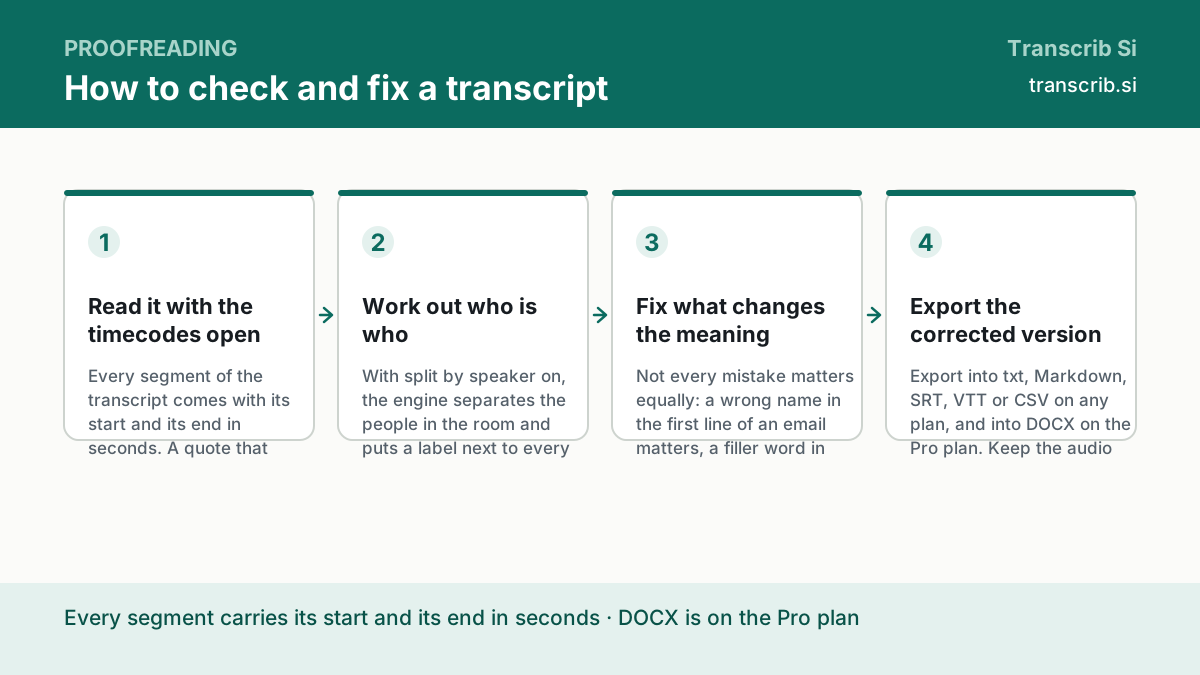
Read it with the timecodes open
Every segment of the transcript comes with its start and its end in seconds. A quote that sounds wrong is a number away from the audio: note the time, and the place in the recording is known without searching.
Work out who is who
With split by speaker on, the engine separates the people in the room and puts a label next to every line. The label is the engine's: listen to the first seconds of each voice and note which name goes with which label. The app does not rename the labels — the name goes into the exported file, where the label sits in its own column (CSV, Markdown) or before the line (SRT, DOCX).
Fix what changes the meaning
Not every mistake matters equally: a wrong name in the first line of an email matters, a filler word in the middle of a sentence does not. The list below is the order in which the fixes pay off.
Export the corrected version
Export into txt, Markdown, SRT, VTT or CSV on any plan, and into DOCX on the Pro plan. Keep the audio file until you have checked the text: the recording is the source, the transcript is the copy.
What you get to check
The transcript is not only the text. It is a small object with the parts a reader needs, and every one of them is there to be checked.
| Field | What it is for |
|---|---|
| text | the words, in the order they were said |
| segments | every piece with its start_s and end_s |
| speaker labels | the voices, when they were separated |
| language and language_source | the language of the recording and where that answer came from |
| duration | the length of the recording |
What to fix first
Read the transcript once from the beginning, marking what is wrong, and then fix in this order. The first four items are the ones that change what the text means.
- the names of the people, the company and the products;
- the figures: sums, percentages, dates and the numbers of contracts;
- the negation: a missed 'not' or 'no' inverts the sentence;
- the terms of the business, which are often the hardest words in the language;
- the punctuation and the breaks, which are a matter of taste and can wait.
How to check a quote against the recording
Copy the time of the segment, open the recording at that second and listen. The whole check of a two-hour recording is not two hours: it is the twenty or thirty seconds where the words matter, plus the beginning, where the speakers introduce themselves. The app shows the time of every segment, but it does not play the recording next to the text: the file stays on your disk, and you open it at the right second.
Transcribe a file and read the first lines
The widget below returns the text with the times of every segment. Open the app to read the segments, fix the text and export the corrected version.
Drop an audio or video file
or — mp3, wav, m4a, mp4, up to 64 MB and two hours
Transcription runs without an account: sign in to keep the text, the history and the exports.
No account yet? The free plan needs no card. Create a free account or sign in.
Questions about checking a transcript
How do I know which speaker is who?
Listen to the first seconds of each voice: the first sentence of a speaker usually names them, and afterwards the transcript is consistent. Keep the label and the name side by side: the app keeps the label of the engine, and the name replaces it in the export.
Can I edit the transcript by hand?
Yes. The editor of the app fixes the text: you change the words in the field and press Save changes, and the segments keep their times and labels. The export into txt or Markdown takes it into your own editor.
Do I have to check the whole recording?
No. Check the parts where the exact wording decides something: the numbers, the names, the decisions. On the rest, the timecodes let you find a passage in seconds when someone asks where it was said.
Is a transcript enough for a contract?
A transcript is a faithful copy of the words, not a certified record. If the document has a legal weight, a person has to read it and sign it; our job is to make that reading short and accurate.
How much does it cost?
The export into txt, Markdown, SRT, VTT and CSV is on every plan, and the export into DOCX is on the Pro plan: $10 a month paid yearly, or $20 a month, with 1,500 minutes a month.
The pages that go with this guide
The editor: the segments with their times, the text to fix, the export.
How accurate is our transcription?
What we publish about accuracy, and what we do not.
The hub: one guide for each task.
Mark Burmistrov, Founder.
Everything this guide says about the transcript comes from the contract of the service: the segments with their times, the speaker labels, the language and its source, and the export formats. The author of the page and the publisher of the site are the same person.