
How to clean up a noisy recording and remove the filler words
Two problems with one symptom: a text that nobody wants to read. The hum of the room that the engine has to fight through, and the words a speaker uses while looking for the right word. The first is fixed before the upload, the second after.
People blame the engine for a bad transcript, and half of the time the recording is to blame. A room with a fan, a phone on the table, two people talking at once, a speaker who says um before every word: each leaves its mark in the text. The guide separates what is fixed before the upload and what after.
How to clean up a recording
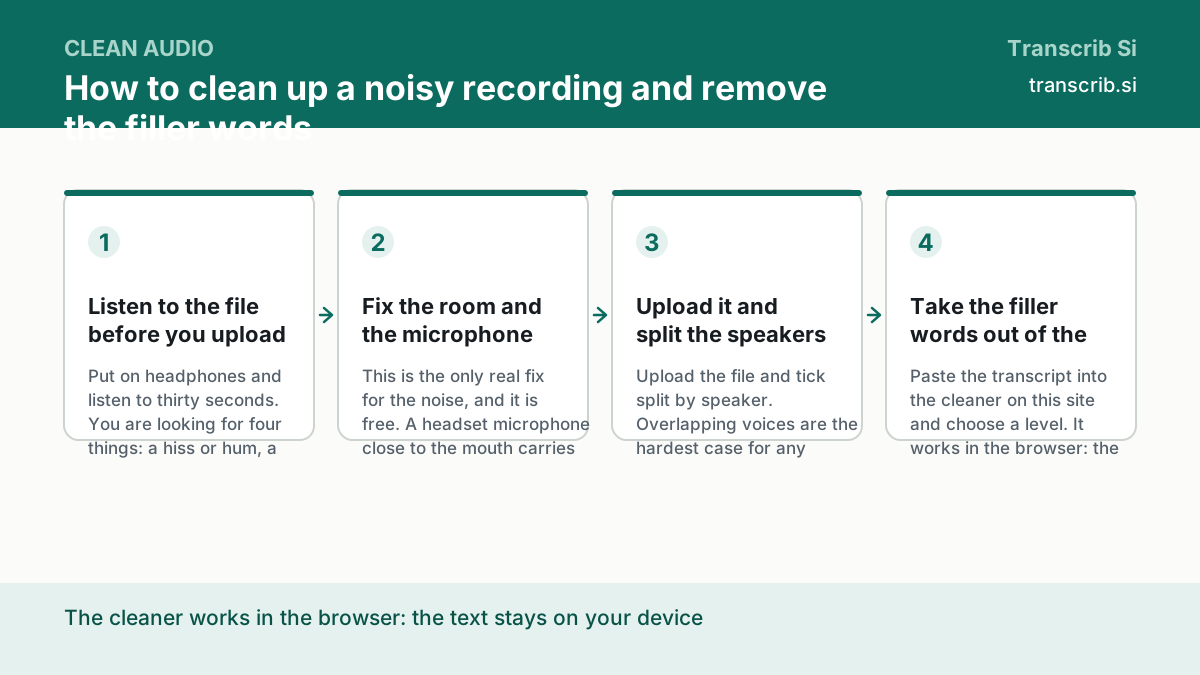
Listen to the file before you upload it
Put on headphones and listen to thirty seconds. You are looking for four things: a hiss or hum, a second voice in the background, a phone that rings once, and the words that run into each other. What you hear here is what the engine has to work with.
Fix the room and the microphone before the recording
This is the only real fix for the noise, and it is free. A headset microphone close to the mouth carries more of the voice and less of the room. A phone lying on the table hears the room and the other people. Nothing in the text will be cleaner than the recording it came from.
Upload it and split the speakers
Upload the file and tick split by speaker. Overlapping voices are the hardest case for any engine: when two people talk at once, the words are mixed in the audio itself, and no post-processing can put them back. The timecodes tell you where to listen again.
Take the filler words out of the text
Paste the transcript into the cleaner on this site and choose a level. It works in the browser: the text is not uploaded, and the result stays on your device. The result can be copied into your editor or saved as a file.
What the noise does, and what it does not
Noise does not appear in the text as noise. It appears as missing words: a word said under the noise is often not heard at all. We do not publish a percentage of accuracy and will not promise that a noisy room is read correctly. The audio is cut into fragments of 22 seconds with an overlap of 3 seconds, and a fragment where the speaker is far from the microphone is where the words go missing.
- a constant hiss or hum: the words are usually still there, the text is just less certain;
- two voices at once: the words are mixed in the audio, and only the timecodes help;
- a phone that rings: a short gap in the words, not a wrong word;
- a speaker far from the microphone: the quietest words are the ones that disappear.
Three levels of cleaning
The cleaner removes words by category, and the categories are read from the list of the tool itself, updated on 22 October 2026. The level is how much meaning you are ready to lose.
| Level | What it removes | Who it is for |
|---|---|---|
| Conservative | the hesitations: um, uh, er, ah | when every word of the record matters |
| Standard | the hesitations, the discourse phrases and the hedges | most transcripts: this is the setting they want |
| Aggressive | everything, including the words that can carry meaning: like, so, well, right | a summary, a note for yourself |
Where to clean the text
The cleaner works in the browser, on your own device: the text you paste into it is never uploaded. The cleaned text goes back into whatever you work in — a document, a ticket, a note. The export into txt or Markdown makes that hand-off easy.
Upload the recording and read the text
The widget below transcribes the file and puts the text on the screen. The cleaner on this site takes that text afterwards, without uploading it anywhere.
Drop an audio or video file
or — mp3, wav, m4a, mp4, up to 64 MB and two hours
Transcription runs without an account: sign in to keep the text, the history and the exports.
No account yet? The free plan needs no card. Create a free account or sign in.
Questions about noise and filler words
Does the cleaner upload my text?
No. It runs in the browser on your own device, and the text you paste into it stays there. Only the transcription itself goes to the engine, and the file is deleted when you delete it.
Which level should I choose?
Standard for most transcripts. Conservative when the record matters — a contract, a medical note, an interview. Aggressive for a summary, where the meaning of a single well can be lost.
Can the cleaner change the meaning?
At the aggressive level, yes: that level removes the words that can carry meaning, like, so, well and right. The conservative level only removes the sounds a speaker makes while looking for a word.
Can I fix the noise after the upload?
The noise stays in the audio, and after the transcription only the text can be cleaned. A better recording is the only real fix, and it is made before the upload.
How much does it cost?
The transcription is $0 on the Free plan, three files a day of up to 30 minutes each. The cleaner is free and runs on your own device.
The pages that go with this guide
The tool itself: three levels, nothing is uploaded.
The general guide: the containers, the limits and the exports.
The hub: one guide for each task.
Mark Burmistrov, Founder.
The three levels of the cleaner are the ones stored in the data file of the tool with the source and the day it was read. We do not publish a percentage of accuracy, so we do not promise that a noisy room is read correctly. The author of the page and the publisher of the site are the same person.