
How to make subtitles from a recording
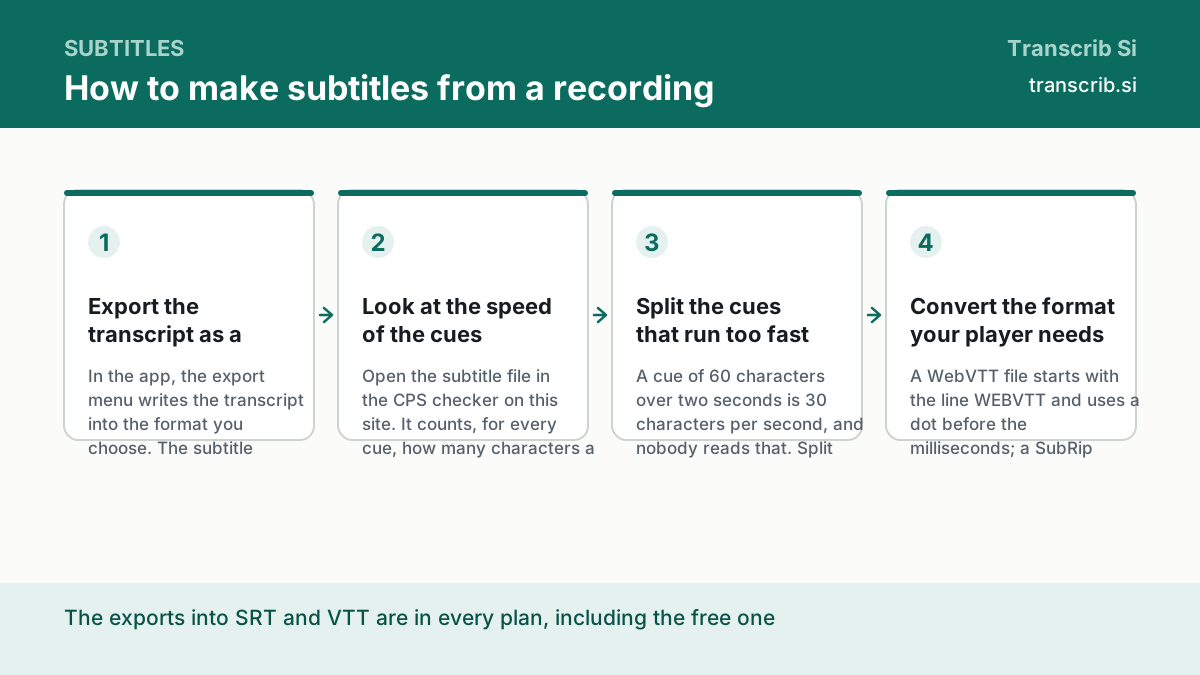
The transcript is ready and the video has no subtitles yet. Subtitles are the same words with the timing: a cue per line, a start and an end, and a speed a reader can follow. Four steps — export the transcript as a subtitle file, look at the speed, split the cues that run too fast, publish.
A subtitle file is a plain text file with a timecode in front of every cue. Nothing in it is magic: the words are the words of the recording, and the times are the times of the segments. What separates a good subtitle from a bad one is the speed — how many characters the reader has to catch per second while the speech is playing.
How to make subtitles from a recording
Export the transcript as a subtitle file
In the app, the export menu writes the transcript into the format you choose. The subtitle formats are SRT and VTT, and both are in every plan, including the free one: only the export into DOCX needs the Pro plan.
Look at the speed of the cues
Open the subtitle file in the CPS checker on this site. It counts, for every cue, how many characters a reader has to catch per second, and marks the cues that are over the limit. Two presets are built in: the standard limits of a subtitle file and the comfortable reading speed.
Split the cues that run too fast
A cue of 60 characters over two seconds is 30 characters per second, and nobody reads that. Split it into two cues, shorten the line, or move the start of the next cue a little earlier. The segments of the transcript carry the times, so you can take them as they are.
Convert the format your player needs
A WebVTT file starts with the line WEBVTT and uses a dot before the milliseconds; a SubRip file starts with the number of the cue. If the player wants the other format, convert the file in the browser — nothing is uploaded, and the file stays on your device.
Two formats, two uses
Both formats carry the same words and the same times. They differ in the header, in the way the milliseconds are written and in where they are expected.
| SRT | VTT | |
|---|---|---|
| Full name | SubRip | WebVTT |
| First line | the number of the cue | WEBVTT |
| Milliseconds | a comma: 00:00:12,500 | a dot: 00:00:12.500 |
| Where it is used | editors, players, the classic file | the web, HTML5 video, the captions of YouTube |
The limits of a readable subtitle
The numbers below are the ones our tool checks the file against. Both sets of limits were read from the documentation of the services on 22 October 2026 and are stored with the source in the data file of the tool.
| Preset | Characters per second | Characters per line | Lines |
|---|---|---|---|
| Standard subtitle limits | 20 | 45 | 2 |
| Comfortable reading | 15 | 45 | 2 |
What the transcript gives you for the timing
The transcript is not only the text. Every segment of it comes with its start and its end in seconds, and those are exactly the times a cue needs. The export into SRT and VTT writes them as the cue list of the subtitle file, so the timing is not typed by hand.
- the text of the segment, without the timecodes
- the start and the end of the segment, in seconds
- the speaker, when the speakers were separated
- the language of the recording, as it was detected
Transcribe a file and take the subtitle file
The widget below returns the text with the times of every segment. The export into SRT and VTT is in the app, on every plan.
Drop an audio or video file
or — mp3, wav, m4a, mp4, up to 64 MB and two hours
Transcription runs without an account: sign in to keep the text, the history and the exports.
No account yet? The free plan needs no card. Create a free account or sign in.
Questions about subtitles
Which format does YouTube need?
The caption file of YouTube is WebVTT. Export the transcript as VTT, and if you have an SRT file from another editor, convert it in the browser.
Do the subtitles have to be translated?
No. The subtitle file holds the words that were said, in the language of the recording. We transcribe Russian and English; a translation is a separate task.
Can I edit the subtitle file by hand?
Yes, and it is the normal way to fix a cue. SRT and VTT are plain text: a timecode, a line of text, and the next cue. The converters on this site edit the file in the browser, without uploading it.
Why do some cues run too fast?
Because the speech is dense. One cue with 60 characters over two seconds is 30 characters per second, and the standard limit is 20. Split the cue or move its end, and the reader catches up.
How much does it cost?
The Free plan is $0 and gives three files a day of up to 30 minutes each, with the export into SRT and VTT included. Pro is $10 a month paid yearly, or $20 a month, and adds DOCX, 1,500 minutes a month and the API keys.
The pages that go with this guide
Convert the subtitle file in the browser, on your own device.
Count the speed of every cue and mark the fast ones.
Take the file, make the text, and then the subtitles.
Mark Burmistrov, Founder.
The limits of a readable subtitle on this page are taken from the documentation of two services and the day it was read; the speed is measured by our own tool, which runs in your browser. The author of the page and the publisher of the site are the same person.